

Common SEO Mistakes and How to Fix Them
SEO is crucial for businesses aiming to increase their online visibility. However, many businesses make common SEO mistakes that can negatively impact their search rankings. In this guide, we’ll outline some of the most common SEO mistakes made in 2025 and provide step-by-step solutions to fix them. By avoiding these errors, you can improve your website’s search engine performance and drive more organic traffic.
1. Not Optimizing for Mobile
Mistake: Ignoring mobile optimization is one of the biggest SEO errors today. With mobile traffic accounting for a significant portion of global web traffic, Google prioritizes mobile-first indexing. Websites that are not mobile-friendly are at risk of losing search visibility.
How to Fix It:
-
Step 1: Use responsive web design to ensure your site adjusts to different screen sizes.
-
Step 2: Test your website on various mobile devices using Google’s Mobile-Friendly Test Tool.
-
Step 3: Improve site load times on mobile by optimizing images and reducing unnecessary scripts.
2. Poor Keyword Research and Targeting
Mistake: Keyword stuffing or targeting the wrong keywords can hinder your SEO efforts. Many website owners fail to conduct proper keyword research and focus on overly competitive or irrelevant keywords.
How to Fix It:
-
Step 1: Use tools like Google Keyword Planner or Ahrefs to find relevant, low-competition keywords.
-
Step 2: Target long-tail keywords that better match user intent and have lower competition.
-
Step 3: Integrate keywords naturally into your content, focusing on user experience.
3. Not Using Proper Title Tags and Meta Descriptions
Mistake: Title tags and meta descriptions play a crucial role in both SEO and click-through rates (CTR). Many websites fail to write compelling or optimized title tags and meta descriptions, which can reduce their visibility in search results.
How to Fix It:
-
Step 1: Write unique, descriptive title tags that include your target keywords. Keep them under 60 characters for optimal display.
-
Step 2: Create engaging meta descriptions that summarize the content of your page. Keep meta descriptions between 120-160 characters.
-
Step 3: Ensure your title and meta description accurately reflect the page’s content to increase CTR.
4. Ignoring Technical SEO
Mistake: Technical SEO is the foundation of your site’s SEO strategy, yet it’s often overlooked. Issues like broken links, poor site structure, and slow loading speeds can negatively affect user experience and search rankings.
How to Fix It:
-
Step 1: Run a technical SEO audit using tools like Screaming Frog or Google Search Console to identify issues.
-
Step 2: Fix broken links, optimize your website’s speed, and make sure your site has a clear and logical structure.
-
Step 3: Implement schema markup to enhance how search engines understand your content.

5. Not Focusing on Quality Content
Mistake: Content is king in SEO, but many websites fail to focus on creating high-quality, informative, and engaging content. Low-quality content can harm your rankings and engagement metrics.
How to Fix It:
-
Step 1: Create well-researched, detailed, and original content that answers the needs of your target audience.
-
Step 2: Update outdated content regularly to keep it fresh and relevant.
-
Step 3: Use multimedia such as images, infographics, and videos to enrich the user experience.
6. Not Monitoring and Adjusting SEO Strategies
Mistake: SEO is not a one-time task, and failing to monitor your progress and adjust strategies can lead to stagnation or decline in rankings.
How to Fix It:
-
Step 1: Use tools like Google Analytics and Search Console to monitor your website’s performance.
-
Step 2: Track your keyword rankings and analyze traffic trends to identify areas for improvement.
-
Step 3: Regularly update your SEO strategies based on performance data and industry changes.
Conclusion
Avoiding common SEO mistakes is essential for achieving sustainable online visibility. By optimizing for mobile, conducting proper keyword research, improving your title tags and meta descriptions, focusing on technical SEO, creating quality content, and regularly monitoring your SEO efforts, you’ll set your website up for success. Stay proactive with your SEO strategy, and watch your rankings and organic traffic grow.
How to Write SEO-Friendly Content: A Step-by-Step Guide
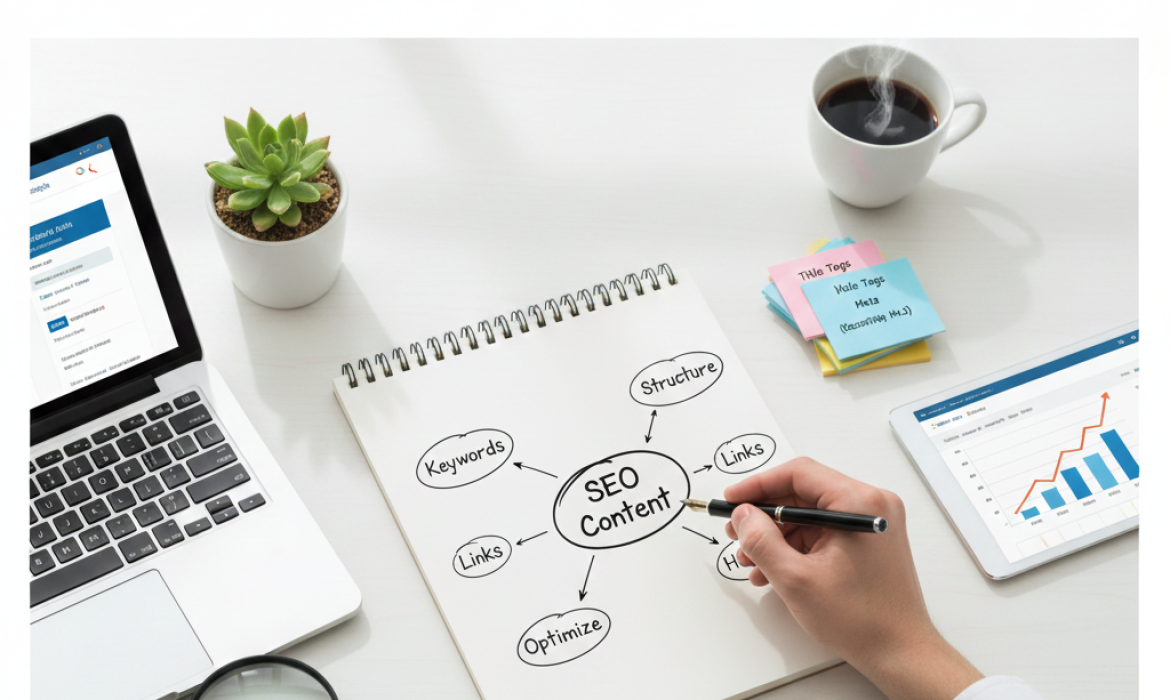
Writing SEO-friendly content is essential for boosting your website’s visibility and ranking on search engines like Google. It’s not just about using the right keywords but creating content that is engaging, informative, and valuable to your audience. In this guide, we’ll walk through the process of writing SEO-friendly content that can improve your search engine optimization efforts.
Step 1: Understand Your Audience and Search Intent
Before you even start writing, it’s crucial to understand your audience and the intent behind their search. When writing SEO content, always ask: What problem is the reader trying to solve? What type of content do they need (informational, transactional, etc.)? Understanding the intent will help you create relevant content that matches the searcher’s needs.
To get a better sense of search intent, analyze the keywords you want to target. For example, if people are searching for “how to write SEO-friendly content,” they likely want a step-by-step guide or tutorial. Knowing the search intent ensures that your content is both targeted and useful.
Step 2: Perform Thorough Keyword Research
Keyword research is the backbone of SEO-friendly writing. The right keywords help your content appear in relevant search results. Start by identifying the main keyword, in this case, “SEO content”. Then, gather related keywords (long-tail keywords) that you can incorporate into the article naturally.
Use tools like Google Keyword Planner or SEMrush to find keywords that are relevant to your topic. For instance, related keywords to SEO content might include “SEO writing,” “content optimization,” or “SEO copywriting.” However, always remember to prioritize the user experience — don’t force keywords into the content. Instead, make sure they fit naturally into your text.
Step 3: Create a Compelling and Engaging Title
The title of your article is one of the most important factors in SEO. A strong title will not only attract readers but also help search engines understand what the article is about. Make sure your title includes your main keyword SEO content (or a variation) and is descriptive enough to grab attention.
For example, “How to Write SEO-Friendly Content: A Step-by-Step Guide” works well because it contains the main keyword and gives a clear indication of the article’s purpose.
Step 4: Write High-Quality, Engaging Content
Once you have your keyword research in place and a solid title, it’s time to write the content. When crafting SEO content, always prioritize readability and value over keyword stuffing. Search engines like Google favor high-quality content that provides real value to readers.
-
Introduction: Start with a captivating introduction that outlines the value of SEO-friendly content and hooks the reader. For example, explain how writing SEO content can help businesses improve their search rankings and attract more organic traffic.
-
Body: Break your content into clear sections, each with a relevant heading. Use subheadings to improve readability, and ensure that each section provides useful information related to your main keyword. Don’t forget to answer questions your audience may have.
-
Conclusion: End your article with a summary of the main points and a call to action. Encourage readers to take the next step, whether it’s applying the tips to their content strategy or learning more about SEO.

Step 5: Optimize for On-Page SEO
When writing SEO content, on-page optimization is crucial. It’s not just about using keywords; it’s about ensuring that your content is structured correctly for search engines. Here are some on-page optimization tips:
-
Use the Main Keyword in the First 100 Words: Search engines pay attention to the first few lines of content. Try to include your main keyword “SEO content” early on without making it sound unnatural.
-
Use Synonyms and LSI Keywords: Google is smart enough to recognize related terms. Instead of repeating SEO content over and over, use synonyms or related terms like “content optimization” or “SEO writing.”
-
Optimize Meta Descriptions: Though meta descriptions don’t directly impact rankings, they help increase click-through rates. Write a concise, engaging meta description that summarizes your article and includes your main keyword.
-
Optimize Image Alt Text: If you use images in your article, make sure to optimize their alt text with relevant keywords. This helps search engines understand the content of the images.
Step 6: Improve Readability and User Experience
Search engines also consider user experience when ranking content. Content that is easy to read and navigate will likely rank better. Here’s how you can improve the readability of your SEO content:
-
Short Paragraphs: Keep your paragraphs short to avoid overwhelming the reader.
-
Bullet Points and Lists: These help break down information into digestible chunks.
-
Clear and Concise Sentences: Avoid long, complicated sentences. Aim for clarity and simplicity.
-
Mobile-Friendly: With an increasing number of users browsing from mobile devices, make sure your content is mobile-optimized.
Step 7: Focus on Content-Length and Depth
While there’s no exact formula for how long your content should be, longer content often performs better in search engine rankings. However, focus on providing comprehensive, in-depth information rather than just filling space with words.
A longer article (around 1,000 to 2,000 words) that thoroughly covers a topic is more likely to rank well than a short, surface-level piece. Ensure your content addresses all possible subtopics related to your main keyword and answers potential questions readers might have.
Step 8: Edit and Proofread for Quality
After you’ve written your content, take the time to edit and proofread. Typos and grammatical errors can negatively impact the readability and quality of your article. Use tools like Grammarly or Hemingway to catch any mistakes and improve the overall flow of your content.
Additionally, ensure that your content reads naturally and is free of keyword stuffing. It’s important that your writing is engaging and useful to the reader, not just written to please search engines.

How SEO-Friendly Content Helps in SEO
Writing SEO content isn’t just about getting ranked on search engines; it’s about improving the overall user experience. When you create well-optimized, valuable content, search engines are more likely to reward you with higher rankings. Here’s how it benefits your SEO:
-
Improved Visibility: By optimizing your content for relevant keywords and search intent, you increase the chances of appearing in search engine results pages (SERPs).
-
Higher Organic Traffic: SEO-friendly content attracts more organic traffic because it answers users’ queries and is structured to meet search engine algorithms.
-
Better User Engagement: High-quality, informative content leads to better user engagement, which can indirectly boost your SEO performance.
By following these steps, you can create content that not only ranks well but also offers value to your readers, helping to build trust and authority for your website.
Complete Guide to On-Page SEO
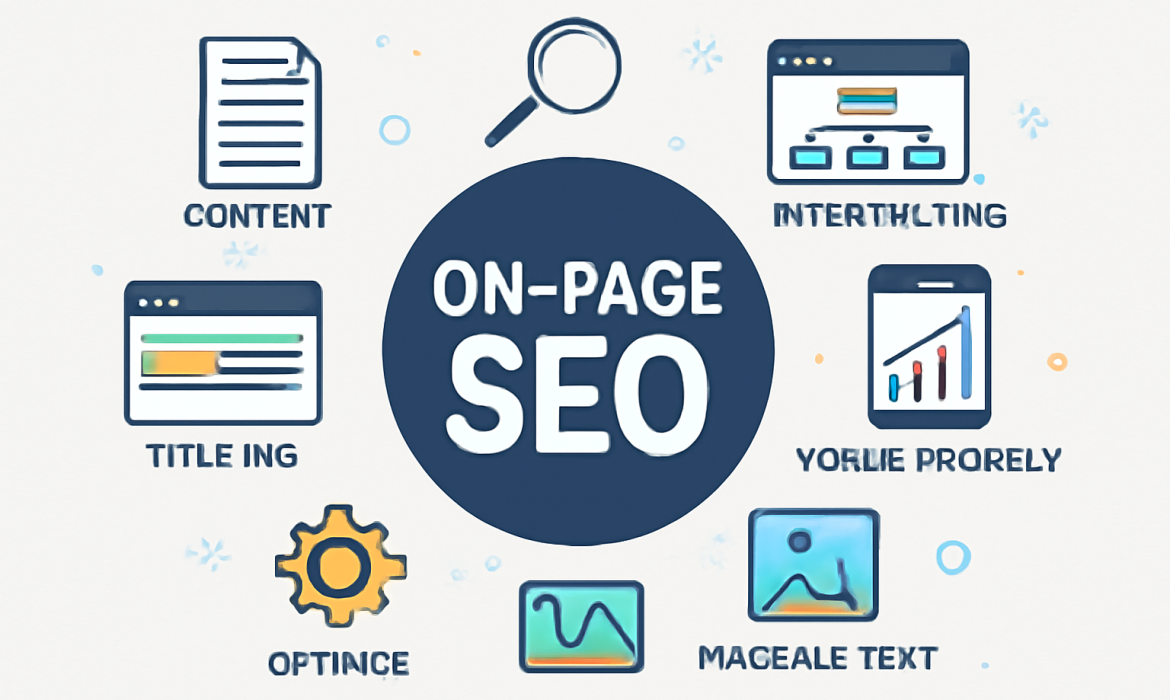
In the ever-evolving world of digital marketing, search engine optimization (SEO) has become a crucial tool for businesses and websites seeking to enhance visibility and drive organic traffic. Among the many components of SEO, On-Page SEO plays a crucial role in ensuring your content ranks higher in search engine results. By optimizing your web pages, you enhance the likelihood of being discovered by search engines like Google, making it an essential practice for any website.
In this complete guide, we’ll walk you through the step-by-step process of On-Page SEO. We’ll explain why it’s so important, how it works, and the best practices to follow to boost your website’s performance.
What is On-Page SEO?
Before diving into the details, it’s essential to understand what On-Page SEO is. On-Page SEO refers to the process of optimizing individual web pages in order to rank higher and attract more relevant traffic. This includes optimizing both the content and HTML source code of a page.
Unlike, which involves external factors like backlinks, On-Page SEO focuses entirely on elements within your website. It ensures that search engines can easily understand the context and relevance of your content, improving your chances of ranking higher for targeted keywords.
Why is On-Page SEO Important?
On-Page SEO is crucial because it directly impacts how search engines interpret and rank your website. When done correctly, it helps:
-
Increase Visibility: Proper On-Page SEO increases the chances of ranking higher in search results, ensuring more people discover your website.
-
Improve User Experience (UX): Optimizing your website’s structure, speed, and content also enhances user experience, leading to higher engagement and lower bounce rates.
-
Drive Targeted Traffic: By focusing on specific keywords and search intent, On-Page SEO ensures that your content is visible to the right audience.
-
Boost Credibility and Trustworthiness: A well-optimized site builds trust with search engines, helping your website appear as a credible and relevant source of information.
Step-by-Step Process of On-Page SEO
Here’s a detailed, step-by-step guide to help you implement On-Page SEO successfully:
1. Keyword Research and Selection
The first step in On-Page SEO is choosing the right keywords. Keywords are the terms or phrases people use when searching for information online. Select keywords that are relevant to your content and have a high search volume but low competition.
-
Tip: Use tools like Google Keyword Planner or Ubersuggest to find relevant keywords that can help you attract organic traffic.
Once you’ve selected your keywords, ensure they are strategically placed throughout your page to improve its ranking.
2. Optimize the Title Tag
The title tag is one of the most important elements for SEO. It appears as the clickable headline in search results, and it helps both search engines and users understand the topic of the page.
-
Best Practices:
-
Keep the title under 60 characters.
-
Place the primary keyword near the beginning.
-
Ensure it’s compelling to encourage click-throughs.
-
3. Meta Description Optimization
Although the meta description doesn’t directly affect rankings, it plays a vital role in attracting clicks from search results. A well-written meta description provides a summary of your page content.
-
Best Practices:
-
Keep the description between 150-160 characters.
-
Include the main keyword naturally.
-
Make it descriptive and appealing to users.
-
4. Use Proper Heading Tags
Heading tags (H1, H2, H3, etc.) help structure your content and make it easier for search engines to crawl your page.
-
Best Practices:
-
Use one H1 tag for the main heading (which should include your primary keyword).
-
Use H2 for subheadings and H3 for further sections.
-
Organize content logically, with clear, descriptive headings.
-
5. URL Structure Optimization
URLs are important for both user experience and SEO. A clean, descriptive URL tells search engines exactly what the page is about.
-
Best Practices:
-
Keep URLs short and descriptive.
-
Include the primary keyword in the URL.
-
Avoid using unnecessary characters or numbers.
-
6. Content Optimization
Creating high-quality content is one of the most important aspects of On-Page SEO. Your content should be relevant, informative, and easy to understand.
-
Best Practices:
-
Use the target keyword within the first 100 words of the content.
-
Include variations and synonyms of the main keyword to avoid keyword stuffing.
-
Maintain keyword density between 1-2% (i.e., for every 100 words, use the keyword 1-2 times).
-
Write for your audience, not just for search engines. Make sure the content adds value and answers the user’s intent.
-
7. Image Optimization
Images are an essential part of web content, but they can slow down your site if not optimized properly. To ensure your images help rather than hinder your SEO efforts, follow these practices:
-
Best Practices:
-
Compress images to reduce file size.
-
Use descriptive alt text with relevant keywords to improve accessibility and SEO.
-
Choose the right file format (JPG for images, PNG for graphics with transparency).
-
8. Internal Linking
Internal linking helps establish a website’s architecture, allowing users and search engines to navigate your site easily. By linking to other pages within your site, you improve the site’s usability and ensure search engines can index all relevant pages.
-
Best Practices:
-
Link to relevant, high-quality pages on your website.
-
Use descriptive anchor text (the clickable text in a hyperlink).
-
Avoid over-linking; focus on quality over quantity.
-
9. Mobile-Friendliness
With mobile traffic accounting for a significant portion of web visitors, it’s essential that your website is mobile-friendly. Google’s mobile-first indexing means that Google primarily uses the mobile version of the website for ranking.
-
Best Practices:
-
Ensure your website is responsive and adjusts to different screen sizes.
-
Test your site on various devices to ensure a smooth mobile experience.
-
Use large, easy-to-click buttons and clear navigation.
-
10. Page Speed Optimization
Page speed is a critical ranking factor in Google’s algorithm. A slow-loading website can lead to higher bounce rates and a lower ranking.
-
Best Practices:
-
Compress images and use browser caching.
-
Minimize the use of heavy scripts and plugins.
-
Utilize a content delivery network (CDN) to speed up content delivery.
-
How SEO On-Page Strategies Work
SEO On-Page Strategies focus on optimizing individual elements within a page to improve its visibility and relevance. By following these strategies, you ensure that your page is structured in a way that both search engines and users can easily understand. When search engines crawl your site, they look for clues (like keywords, headings, and metadata) to determine how well your page answers a user’s search query.
By consistently applying On-Page SEO strategies, you’ll see gradual improvements in your page’s ranking, leading to more organic traffic and higher conversions.
Conclusion
In conclusion, On-Page SEO is a fundamental component of any successful SEO strategy. By optimizing content, images, title tags, URLs, and other key elements, you ensure that search engines can crawl, index, and rank your website effectively. Following the steps outlined in this guide and implementing SEO On-Page Strategies will help you stay ahead of your competitors and increase your website’s visibility. Whether you’re a beginner or looking to fine-tune your existing SEO efforts, the tips and techniques shared here will provide you with the tools you need to succeed.

