

Instagram Marketing Guide: Boost Your Brand in 2026
Instagram has firmly established itself as one of the most powerful social media platforms for marketing, offering businesses the opportunity to connect with a vast audience in a highly visual way. With over 2 billion active users, it’s no surprise that Instagram has become a crucial part of any brand’s marketing strategy. If you’re looking to grow your business and boost your brand’s presence on Instagram, this step-by-step tutorial will guide you through everything you need to know to leverage the platform effectively in 2026.
Step 1: Set Up Your Instagram Business Profile
The first step in Instagram marketing is to create a business profile. A business account on Instagram provides a host of benefits, including access to in-depth insights, the ability to run ads, and the option to add call-to-action buttons like “Contact” or “Shop Now.”
How to Set Up Your Instagram Business Profile:
-
Download Instagram: If you haven’t already, download Instagram from the App Store (iOS) or Google Play Store (Android).
-
Create an Account: You can sign up using your email address or link your Facebook business page to automatically create a business account.
-
Switch to Business Account: Go to your profile, tap the three horizontal lines in the top-right corner, select “Settings,” then “Account,” and choose “Switch to Professional Account.” Select “Business” when prompted.
-
Fill Out Your Profile: Add essential information, such as your company name, profile picture (usually your logo), a bio, and a link to your website. The bio should briefly describe your business and include a call-to-action.
Step 2: Define Your Target Audience
Knowing your target audience is critical for creating engaging content that resonates with your followers. Identifying your audience’s demographics, interests, and behaviors will help you create content that speaks directly to them.
How to Define Your Target Audience:
-
Age and Gender: Consider the age and gender of your ideal customers.
-
Location: If your business is location-specific, target users within that geographic area.
-
Interests: Research what topics your audience is passionate about and engage with them through relevant content.
-
Behavior: Instagram allows you to track the behavior of your followers, helping you identify what types of posts they interact with most.
Step 3: Develop a Content Strategy
A solid content strategy is the backbone of any Instagram marketing campaign. You need to create a content plan that aligns with your goals, resonates with your audience, and encourages engagement.
Content Types to Include:
-
Image Posts: High-quality images of your products, services, or team. Keep the images visually appealing and consistent with your brand’s aesthetic.
-
Carousel Posts: These allow you to showcase multiple images or videos in a single post. They’re perfect for product features, tutorials, or storytelling.
-
Instagram Stories: Stories are a great way to share real-time updates, behind-the-scenes content, and limited-time offers. They disappear after 24 hours, creating urgency.
-
Instagram Reels: Short-form video content is hugely popular. Reels are great for creative, engaging content and tapping into trending topics.
-
IGTV: For longer video content, IGTV allows you to share more in-depth videos like interviews, product demos, or tutorials.
Content Planning:
Create a content calendar to maintain consistency and plan posts in advance. This will help you stay organized and ensure you’re posting regularly.
Step 4: Use Hashtags Effectively
Hashtags are essential for making your content discoverable to a broader audience. Instagram users often search for content by hashtags, so using the right ones can help you expand your reach.

How to Use Hashtags:
-
Research Hashtags: Start by researching popular hashtags within your niche. Tools like Hashtagify or Instagram’s own search bar can help you discover trending hashtags.
-
Create Branded Hashtags: These are unique to your brand and can help track user-generated content. Encourage your followers to use your branded hashtag in their posts.
-
Use a Mix of Hashtags: Combine widely popular hashtags with niche-specific ones. Using highly competitive hashtags will give you visibility, but niche hashtags can help you target a more focused audience.
-
Limit Hashtags to 5-15: While Instagram allows up to 30 hashtags, studies show that 5 to 15 hashtags per post tend to yield the best results.
Step 5: Engage with Your Audience
Engagement is a critical factor in Instagram’s algorithm. The more engagement your posts receive, the higher the likelihood they’ll appear in the feeds of your followers and others.
Ways to Boost Engagement:
-
Respond to Comments and DMs: Make it a habit to reply to comments and direct messages. This helps build a connection with your audience.
-
Like and Comment on Posts: Engage with your followers by liking and commenting on their posts as well.
-
Use Interactive Features in Stories: Instagram Stories offers polls, quizzes, and questions that encourage interaction.
-
User-Generated Content (UGC): Encourage your followers to share their experiences with your brand, and repost their content on your profile. This helps create a sense of community.
Step 6: Leverage Instagram Ads
Instagram Ads are an excellent way to target specific audiences with highly visual content. Instagram offers various ad formats, including photo, video, carousel, and story ads.
How to Set Up Instagram Ads:
-
Connect Your Instagram Account to Facebook: Instagram ads are managed through Facebook’s Ads Manager, so link your Instagram account to your Facebook business page.
-
Set Your Campaign Objective: Choose your objective (e.g., brand awareness, traffic, conversions) based on your marketing goals.
-
Target Your Audience: Instagram allows you to define your audience by age, location, gender, interests, and behaviors. This ensures your ads are seen by the right people.
-
Create Your Ad: Use high-quality images or videos and include a clear call-to-action (CTA), such as “Shop Now” or “Learn More.”
-
Set Your Budget and Duration: You can choose between a daily budget or a lifetime budget, and set the start and end dates for your campaign.
-
Monitor and Optimize Your Ads: Regularly review your ad performance to see what works and optimize your campaigns accordingly.
Step 7: Analyze and Measure Performance
Tracking your Instagram performance is essential for understanding the effectiveness of your marketing efforts. Instagram provides in-depth analytics for each post, story, and ad.
Key Metrics to Track:
-
Engagement Rate: The total number of likes, comments, and shares your content receives. A higher engagement rate signals that your audience finds your content valuable.
-
Reach and Impressions: Reach shows how many unique users saw your content, while impressions show how many times your content was viewed in total.
-
Click-Through Rate (CTR): This metric measures the percentage of people who clicked on the link in your bio or stories.
-
Conversion Rate: The percentage of users who took the desired action after engaging with your content, such as making a purchase or signing up for your newsletter.
Conclusion:
Instagram marketing in 2026 requires a mix of creativity, consistency, and strategy. By setting up a professional profile, defining your target audience, developing a solid content strategy, using hashtags effectively, engaging with your followers, running Instagram ads, and measuring your performance, you can significantly boost your brand’s visibility and success on Instagram. Remember, the key to success is staying adaptable, monitoring your results, and continuously improving your approach based on the data.
Start implementing these steps today, and watch your brand grow on one of the world’s most popular social media platforms!

Free Facebook Business Page Promotion: How to Get Started
Facebook is one of the most widely used social media platforms, making it an essential tool for businesses looking to increase their visibility and engage with their target audience. Whether you’re a small business owner or an entrepreneur, Facebook promotion is crucial for building brand awareness, attracting new customers, and ultimately increasing sales. The best part is that you don’t have to spend money on ads to benefit from Facebook promotion. Here are some effective strategies you can use to promote your business on Facebook for free.
1. Create a Fully Optimized Facebook Business Page for Better Promotion
The first step in Facebook promotion is to create a fully optimized business page. Your Facebook business page serves as your online storefront, so it should represent your brand in the best way possible.
To make the most of your Facebook promotion efforts, make sure you:
-
Add a professional profile picture (preferably your logo).
-
Choose an engaging cover photo that showcases your products or services.
-
Write a clear and concise business description.
-
Include your website, phone number, and other contact details.
A well-optimized page will make your Facebook promotion more effective, ensuring that new visitors know exactly what your business offers.
2. Invite Friends and Family for Initial Promotion
The quickest way to get your Facebook promotion started is by inviting friends and family to like your page. This gives you an initial following and a group of supporters who can help amplify your efforts.
To invite friends and family:
-
Go to your page.
-
Click on the three dots next to “Share” and select “Invite Friends.”
-
Choose the friends you want to invite and click “Send Invite.”
Your family and friends are your first network of promoters, and their engagement helps build a solid foundation for further Facebook promotion.
3. Organize Facebook Contests and Giveaways for Effective Promotion
Contests and giveaways are one of the best ways to get people engaged with your page and increase your follower count. By offering something valuable, you incentivize people to like, share, and engage with your content, which is a powerful form of Facebook promotion.
Here are a few ideas for Facebook contests:
-
Offer a discount or free product in exchange for likes and shares.
-
Hold a drawing where followers can win products or services.
-
Host an event or virtual giveaway to encourage shares and increase reach.
A well-executed contest or giveaway can drive engagement and spread the word about your business, significantly boosting your Facebook promotion efforts.
4. Post Engaging and Valuable Content for Organic Facebook Promotion
The most effective form of Facebook promotion comes from engaging content. Posting valuable and relevant content not only helps keep your followers interested but also encourages them to share your posts, increasing your organic reach.
Types of content to post include:
-
Tips and Guides: Share helpful advice related to your industry to position your business as an expert.
-
Behind-the-Scenes Content: Show your audience the inner workings of your business.
-
Customer Testimonials: Share positive feedback from satisfied customers to build trust.
-
News and Events: Keep your audience informed about product launches, promotions, and industry updates.
The more engaging your content, the more likely your followers will share it, which is one of the most cost-effective ways to promote your business on Facebook.
5. Keep Your Audience Updated on Offers and Discounts
Using your Facebook page to update followers about new offers and discounts is a great way to keep your business on their radar. Regular updates about promotions or new products will keep your audience engaged and encourage them to share your page, further amplifying your Facebook promotion.
Ways to keep followers informed:
-
Share Best-Selling Products: Highlight popular items or services.
-
Announce New Offers: Post about seasonal discounts, new arrivals, or special promotions.
-
Post Availability Updates: Inform your followers when products are restocked or when there are changes to business hours.
These posts help keep your page active and show your audience that you’re consistently working to provide them with value, which enhances your Facebook promotion.
6. Share Customer Reviews and User-Generated Content
One of the most effective methods of Facebook promotion is leveraging customer reviews and user-generated content. Encouraging your customers to share their experiences can help build credibility for your business. When users tag your business or share their experiences on Facebook, their networks are exposed to your brand, which helps in your promotion efforts.
Customer-generated content can include:
-
Positive testimonials.
-
Photos of customers using your products or services.
-
Stories about how your products have helped them.
When users share their experiences, you benefit from free advertising, which is a key aspect of Facebook promotion.

7. Connect with Influencers and Other Brands to Boost Promotion
Another great way to enhance your Facebook promotion is by connecting with influencers or other brands in your industry. These collaborations can help you reach new audiences and gain credibility through association.
You can:
-
Like and comment on influencer posts.
-
Share content from other businesses that align with your brand.
-
Run joint promotions or co-host events.
By building relationships with influencers or complementary businesses, you expand your network and increase the visibility of your Facebook page.
8. Use Hashtags for Greater Discoverability
Hashtags are an essential tool for boosting the discoverability of your posts. By using relevant hashtags, your posts become searchable to a wider audience beyond your followers, improving your Facebook promotion.
Ensure you:
-
Use trending and industry-specific hashtags in your posts.
-
Research the best hashtags for your business.
-
Avoid overloading your posts with hashtags – focus on a few relevant ones.
Hashtags can help new users discover your page, increasing your audience and the effectiveness of your Facebook promotion.
9. Engage Directly with Your Audience
Engagement is the key to making your Facebook promotion efforts successful. Respond to comments, messages, and questions from your audience. When people see that you are active and responsive, they are more likely to engage with your content and share it within their network.
Here are some tips to boost engagement:
-
Respond to Comments: Acknowledge your followers’ input and show that you appreciate their engagement.
-
Ask Follow-Up Questions: Encourage deeper conversation by asking open-ended questions.
-
Polls and Surveys: Use Facebook’s polling feature to get feedback from your audience and keep them engaged.
The more engaged you are, the more likely your posts will show up in your followers’ News Feeds, increasing the effectiveness of your Facebook promotion.
Conclusion
Promoting your business on Facebook doesn’t have to cost a fortune. By implementing these free strategies, you can increase your page’s visibility, boost engagement, and attract new followers. Whether through contests, valuable content, or engaging directly with your audience, Facebook offers numerous opportunities for businesses to promote themselves without the need for paid advertising. Start applying these tips today and watch your Facebook promotion efforts pay off!

Mastering Instagram Marketing: A Beginner’s Guide
Instagram has rapidly become one of the most powerful platforms for digital marketing. With over 2 billion active users, it offers businesses a chance to connect with a vast audience, increase brand awareness, and drive sales. Whether you’re a small business or an established brand, mastering Instagram marketing is essential for achieving success. This beginner’s guide will walk you through everything you need to know about Instagram marketing and how to implement it effectively.
Why Instagram Marketing is Important
Instagram’s visual-centric platform is uniquely designed for businesses to showcase their products, services, and brand personality. Here’s why it’s so important for marketers:
-
Massive Audience: Instagram’s user base is enormous, reaching billions globally. This provides businesses with an excellent opportunity to target a wide range of demographics and grow their following.
-
High Engagement: Instagram boasts some of the highest engagement rates compared to other social media platforms. Users love to interact with content, especially images and videos.
-
Brand Awareness: With Instagram, you can create a recognizable brand presence. By posting high-quality content and maintaining a consistent aesthetic, your brand becomes more visible and memorable.
-
E-Commerce Potential: Instagram is increasingly becoming a shopping platform with features like Instagram Shopping. You can drive sales directly from the app, making it a key tool for businesses in any industry.
-
Influencer Marketing: Instagram has a massive influencer culture. Working with influencers who resonate with your target audience can significantly amplify your brand’s reach.
Step-by-Step Guide to Instagram Marketing
Now that you know why Instagram marketing is so powerful, let’s dive into how you can start mastering it. Here’s a step-by-step guide to Instagram marketing for beginners:
Step 1: Define Your Goals
Before you start posting, it’s crucial to define your goals for Instagram marketing. Ask yourself:
-
What do you want to achieve on Instagram?
-
Are you aiming to increase brand awareness, drive traffic, or generate leads?
-
-
Who is your target audience?
-
Knowing your audience will shape your content and engagement strategy.
-
Setting clear goals helps you stay focused and measure your success later on.
Step 2: Optimize Your Profile
Your Instagram profile is your brand’s first impression. To make it appealing:
-
Profile Picture: Use your logo or a professional image that represents your brand.
-
Username: Keep your username simple, easy to spell, and closely tied to your brand.
-
Bio: Create a concise, engaging bio that explains who you are and what you do. Don’t forget to add a call-to-action or a link to your website.
-
Contact Information: Make sure users can easily get in touch with you by adding your email or other contact details.
Your profile should clearly reflect your brand’s identity and make it easy for visitors to understand what you offer.
Step 3: Create Engaging Content
Content is the heart of Instagram marketing. Whether it’s photos, videos, or Instagram Stories, your content should be engaging, visually appealing, and aligned with your brand’s goals.
-
High-Quality Visuals: Since Instagram is a visual platform, posting high-quality images and videos is essential. Invest in professional photography or use editing apps to enhance your content.
-
Consistency: Post consistently to stay on your audience’s radar. Create a content calendar to maintain a regular posting schedule.
-
Content Variety: Mix up your content with photos, videos, carousels, reels, and stories. Each content type has its own advantages and helps keep your feed dynamic and interesting.
-
User-Generated Content (UGC): Encourage your followers to share their own content featuring your products or services. Reposting UGC not only builds trust but also fosters a sense of community.
-
Hashtags: Research relevant hashtags to increase the discoverability of your posts. Don’t overuse them—focus on hashtags that resonate with your niche.
Step 4: Leverage Instagram Stories and Reels
Instagram Stories and Reels are two of the most engaging features on the platform. Here’s how you can use them to boost your marketing efforts:
-
Instagram Stories: Stories are perfect for real-time updates, behind-the-scenes content, polls, and interactive features like quizzes. They disappear after 24 hours, so it’s a great way to create urgency and encourage action.
-
Instagram Reels: Reels are short-form videos that have the potential to go viral. Use them to showcase your products, share tutorials, or even create fun content to entertain your followers. They have high engagement potential and can reach a broad audience outside your followers.

Step 5: Engage with Your Audience
Social media is about building relationships, and Instagram is no different. Engagement helps you create a loyal community of followers who trust and support your brand.
-
Reply to Comments and DMs: Responding to comments and direct messages shows your followers that you value them and their opinions.
-
Host Giveaways and Contests: Running giveaways or contests can encourage engagement and attract new followers. Make sure the prizes are relevant to your audience.
-
Engage with Other Accounts: Don’t just focus on your profile—engage with other accounts in your niche. Like, comment, and share posts from users that align with your brand. This can help you build relationships and increase your visibility.
Step 6: Use Instagram Ads
While organic reach is essential, Instagram ads can give you a boost. Instagram offers a variety of ad formats, including photo ads, video ads, carousel ads, and story ads. These ads allow you to target specific demographics, ensuring your content reaches the right audience.
-
Set a Budget: Start with a small budget and gradually scale up as you see results.
-
Create Compelling Ads: Your ads should have strong visuals, concise copy, and a clear call-to-action.
-
Monitor and Adjust: Regularly review your ad performance to see what works and what doesn’t. Adjust your strategy accordingly.
Step 7: Analyze Your Performance
Instagram offers robust analytics tools that allow you to track the performance of your posts, stories, and ads. Use Instagram Insights to monitor:
-
Engagement Rate: Track likes, comments, shares, and saves to understand how your audience interacts with your content.
-
Reach and Impressions: See how many people are seeing your content and how often.
-
Follower Demographics: Understand the age, gender, and location of your audience to tailor your content accordingly.
Analyzing your performance helps you refine your strategy, ensuring continued growth and success.
Mastering Instagram marketing is a journey that requires time, consistency, and strategic planning. By following these steps—defining your goals, optimizing your profile, creating engaging content, and analyzing your performance—you can build a successful Instagram marketing strategy that drives growth for your business. With its immense potential for engagement and brand visibility, Instagram is an indispensable tool for any business looking to succeed in the digital world.

Affiliate Marketing for Beginners: A Step-by-Step Guide
Affiliate marketing is one of the most popular and accessible ways to earn money online. Whether you’re looking for a side hustle or aiming to build a full-fledged online business, affiliate marketing offers tremendous opportunities. If you’re a beginner looking to dive into this space, this guide will walk you through everything you need to know about affiliate marketing, step-by-step.
What is Affiliate Marketing?
Affiliate marketing is a performance-based marketing strategy where an individual (affiliate) promotes a company’s product or service and earns a commission for every sale or lead generated through their efforts. It’s a win-win situation for both the affiliate and the company, as the affiliate earns money by promoting products they believe in, and the company benefits from additional exposure and sales.
Why is Affiliate Marketing Important?
Affiliate marketing is important for several reasons:
-
Low Barrier to Entry: Anyone can start affiliate marketing, as it requires minimal investment. You don’t need to create your own product or service to sell—just promote what already exists.
-
Passive Income: Once your affiliate marketing system is in place, you can earn money passively. With the right strategies, you can continue making money even when you’re not actively working.
-
Scalable and Flexible: You can scale your affiliate marketing efforts as much as you want, choosing how much time and effort you want to dedicate to it. Plus, it can be done from anywhere with an internet connection.
-
Diversified Income Streams: Affiliate marketing provides an opportunity to diversify your income, reducing your reliance on a single source.
Step-by-Step Process to Start Affiliate Marketing
Starting with affiliate marketing may seem overwhelming at first, but it doesn’t have to be. Here’s a simple step-by-step process to guide you through the journey.
Step 1: Choose Your Niche
Before you can start promoting affiliate products, you need to choose a niche. A niche is a specific area of interest where you will focus your marketing efforts. It could be anything from health and wellness to technology, fashion, or even pet care.
Why is this important?
Choosing a niche allows you to target a specific audience. Instead of appealing to everyone, you can focus on a group of people who have particular needs and interests. This helps you create more personalized content that resonates with your audience.
How to Choose Your Niche:
-
Consider your interests and passions.
-
Research the profitability of different niches.
-
Check for available affiliate programs in your chosen niche.
Step 2: Find Affiliate Programs
Once you’ve chosen your niche, it’s time to find affiliate programs that match your interests. These programs offer affiliate links and provide you with a commission for every sale made through your link.
Why is this important?
Without affiliate programs, you wouldn’t have products to promote. Choosing the right affiliate programs ensures you are promoting quality products or services that align with your niche and audience.
How to Find Affiliate Programs:
-
Use affiliate networks like ClickBank, Amazon Associates, or ShareASale.
-
Visit the websites of companies in your niche and look for their affiliate programs.
-
Join niche-specific affiliate programs that align with your audience’s interests.
Step 3: Build Your Platform
To succeed in affiliate marketing, you need a platform to promote your affiliate products. This could be a blog, YouTube channel, Instagram account, or even a podcast. A platform helps you build trust with your audience, making it easier to recommend products.
Why is this important?
A strong online presence establishes credibility and trust with your audience. Whether it’s through informative blog posts, engaging YouTube videos, or inspiring social media posts, your platform is your tool for communication and promotion.
How to Build Your Platform:
-
Start a blog and focus on creating valuable content around your niche.
-
If you prefer visual content, consider YouTube or Instagram.
-
Use email marketing to build relationships with your audience and share affiliate products.
Step 4: Create High-Quality Content
The heart of affiliate marketing lies in creating valuable content that resonates with your audience. Content is key to educating your audience, solving their problems, and guiding them towards making purchases through your affiliate links.
Why is this important?
Quality content is what attracts and retains your audience. The more helpful and relevant your content is, the more likely your audience will trust you and click on your affiliate links.
How to Create High-Quality Content:
-
Write blog posts, make videos, or share social media posts that solve common problems.
-
Incorporate your affiliate products naturally into your content.
-
Use compelling calls-to-action (CTAs) to guide your audience toward making purchases.

Step 5: Promote Your Affiliate Links
Once you’ve created content, it’s time to promote your affiliate links. There are various ways to do this: through blog posts, YouTube videos, email campaigns, or social media.
Why is this important?
Even the best content won’t make money unless people are clicking on your affiliate links. Effective promotion helps you reach a broader audience and increases the likelihood of conversions.
How to Promote Your Affiliate Links:
-
Insert affiliate links in relevant blog posts or articles.
-
Create engaging social media posts to showcase your affiliate products.
-
Offer exclusive discounts or bonuses to entice people to purchase through your links.
Step 6: Track Your Performance and Optimize
Affiliate marketing is a dynamic process. To succeed, you need to continuously track your performance, analyze what works, and optimize your strategy accordingly.
Why is this important?
Tracking performance helps you understand what’s working and what isn’t. It enables you to refine your content and marketing strategies, leading to more conversions and higher commissions.
How to Track Performance:
-
Use tools like Google Analytics to track website traffic and conversions.
-
Monitor your affiliate dashboard to see which products perform best.
-
Experiment with different types of content and promotional strategies.
Final Thoughts
Affiliate marketing offers an exciting opportunity for beginners to earn money online. By following this step-by-step guide, you can lay a solid foundation for success in this field. Remember, success in affiliate marketing takes time, consistency, and patience. But with the right approach, you can create a sustainable income stream that allows you to work from anywhere, at any time.
Now that you understand the basics, start your affiliate marketing journey today and watch your efforts turn into profitable returns!

Mastering Facebook Ads: A Beginner’s Guide
Facebook Ads is a powerful advertising platform that allows businesses to reach a targeted audience across Facebook, Instagram, Messenger, and other partner networks. With over 2.8 billion monthly active users, Facebook Ads enables businesses to promote their products, services, and brand to an extensive range of potential customers. What makes Facebook Ads effective is its targeting capabilities, which allow businesses to refine their audience based on factors like demographics, interests, and online behavior. This guide will walk you through the basics of Facebook Ads, how it works, and the step-by-step process to create your first successful ad campaign.
1. Understanding How Facebook Ads Works
Facebook Ads operates on a pay-per-click (PPC) model, meaning you only pay when someone clicks on your ad. The platform uses a complex auction system where advertisers compete to have their ads displayed to their target audience. Your bid, ad quality, and the relevance of your ad to the audience determine whether your ad will be shown.
When creating an ad, you define your target audience, set your budget, and choose the campaign objective (whether you want to drive traffic, conversions, or awareness). Facebook’s algorithm then determines where and when to show your ad to maximize its effectiveness.
2. Step-by-Step Process to Master Facebook Ads
Step 1: Set Up Your Facebook Ads Account
Before you begin creating campaigns, you need to set up your Facebook Ads account:
-
Create a Facebook Business Manager account at business.facebook.com.
-
Link your Facebook Page to your Business Manager.
-
Add a payment method to allow the platform to charge for ad campaigns.
This will allow you to manage your ad campaigns and ensure they are linked to your business profile.
Step 2: Choose Your Campaign Objective
Facebook offers different campaign objectives, each catering to specific goals. When starting, choose the one that best aligns with your business goals:
-
Brand Awareness: To reach as many people as possible.
-
Traffic: To drive visitors to your website or landing page.
-
Engagement: To boost likes, comments, and shares on your content.
-
Conversions: To get users to take a specific action on your website (like purchasing or signing up).
-
Lead Generation: To collect contact details for follow-up.
Pick the objective that matches what you want to achieve with your ads.
Step 3: Define Your Target Audience
Facebook’s targeting features allow you to reach the people most likely to convert. Here’s how to define your audience:
-
Location: Choose the geographic area where your audience is located (city, region, or country).
-
Demographics: Target users based on age, gender, language, education, and job title.
-
Interests: Select interests related to your business, like hobbies, brands, or activities.
-
Behaviors: Target people based on their online behaviors, such as purchasing habits or device usage.
-
Custom and Lookalike Audiences: Upload your customer list or create lookalike audiences to find new people similar to your existing customers.
Precise targeting ensures that your ads are seen by the people most likely to take action.
Step 4: Set Your Budget
Once you’ve defined your target audience, it’s time to set your budget. You can choose between two types of budgets:
-
Daily Budget: The amount you’re willing to spend per day. Facebook will distribute your budget evenly.
-
Lifetime Budget: The total amount you’re willing to spend over the entire campaign period.
Facebook allows you to adjust your budget at any time, so you can manage your spending effectively.

Step 5: Select Your Ad Placement
Facebook offers various placements for your ads, including:
-
Facebook Feed: Ads appear directly in users’ newsfeeds.
-
Instagram Feed: Ads shown in users’ Instagram feed.
-
Stories: Full-screen ads on Facebook or Instagram stories.
-
Messenger: Ads displayed in the Messenger app.
If you’re unsure, Facebook recommends automatic placements, which let their algorithm optimize ad delivery across all platforms for better performance.
Step 6: Design Your Ad
Your ad’s visuals and copy are critical in grabbing attention and driving engagement. Here’s how to create a compelling ad:
-
Choose an Ad Format: Depending on your goal, you can select from various formats such as:
-
Single Image Ad: A simple, clear visual.
-
Carousel Ad: Multiple images or videos that users can swipe through.
-
Video Ad: A dynamic way to showcase products or services.
-
-
Write Compelling Copy: Your headline should capture attention, and the description should provide enough information to persuade users to take action. Include a strong Call-to-Action (CTA), like “Shop Now,” “Learn More,” or “Sign Up.”
-
Use High-Quality Visuals: Ensure your images or videos are high-quality and relevant to the audience you are targeting.
Step 7: Launch Your Campaign
Once your ad is designed and you’ve set your budget, it’s time to launch your campaign. Review all your settings and make sure everything is correct, from audience targeting to ad creatives.
Click the Publish button, and Facebook will start delivering your ad according to your selected budget and schedule.
Step 8: Monitor and Optimize Your Campaign
After your ad goes live, it’s crucial to monitor its performance. Some key metrics to track include:
-
CTR (Click-Through Rate): Measures the percentage of people who clicked on your ad after seeing it.
-
CPC (Cost per Click): Indicates how much you are paying for each click.
-
Conversion Rate: The percentage of people who completed the desired action after clicking on your ad.
-
ROAS (Return on Ad Spend): Measures how much revenue you generate per dollar spent on ads.
Based on these metrics, you can make adjustments to your ad, such as refining your targeting, adjusting your budget, or changing the creative elements.
Step 9: Test Different Variations (A/B Testing)
To optimize your campaigns, run A/B tests to compare different ad variations. Test different headlines, images, CTAs, and targeting options to see which combination yields the best results.
By continuously testing and optimizing, you can ensure your ads are performing at their best.
Mastering Facebook Ads involves understanding the platform’s many features, from setting up your campaign to monitoring and optimizing its performance. With the right targeting, compelling ad creatives, and consistent analysis, you can create effective campaigns that drive traffic, generate leads, and increase conversions for your business.
Take the time to experiment with different ad formats and strategies, and remember that successful Facebook advertising is an ongoing process.
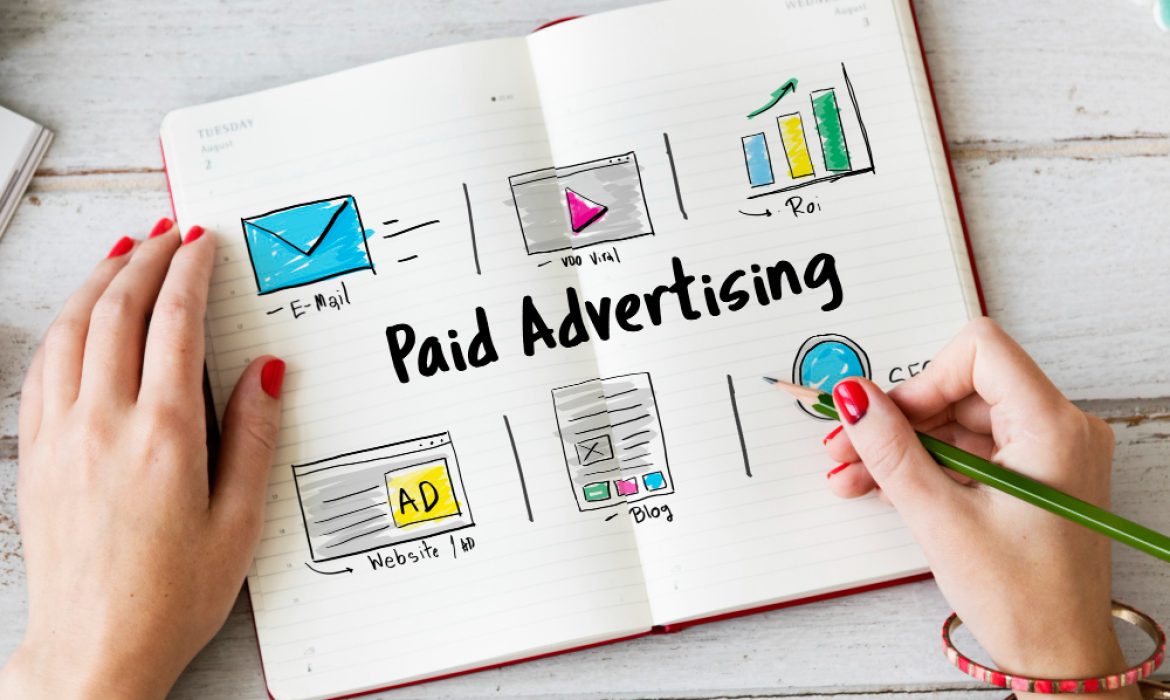
Beginner Guide to Google Ads Campaign Management
Google Ads is one of the most powerful tools for driving traffic and generating leads for your business. However, managing a Google Ads campaign can seem daunting, especially for beginners. This guide will walk you through the basics of Google Ads campaign management and provide you with the knowledge you need to create and optimize successful campaigns.
1. What is Google Ads?
Google Ads (formerly known as Google AdWords) is an online advertising platform where businesses can create ads to appear on Google search results, YouTube, Gmail, and other Google partner sites. It works on a pay-per-click (PPC) basis, meaning you only pay when someone clicks on your ad. Google Ads offers a range of targeting options to help you reach the right audience and maximize your return on investment (ROI).
2. Setting Up Your Google Ads Account
The first step in Google Ads campaign management is setting up your account. Follow these simple steps to get started:
-
Sign up for Google Ads: If you don’t have an account, visit the Google Ads website and create one.
-
Define Your Campaign Goals: Decide whether you want to drive traffic to your website, increase sales, or promote your brand awareness.
-
Choose Your Campaign Type: Google Ads offers several campaign types, including search campaigns, display campaigns, shopping campaigns, and video campaigns. Choose the type that aligns with your goals.
-
Set Your Budget: Determine how much you are willing to spend on your campaign. Google Ads allows you to set a daily or lifetime budget for your campaigns.
3. Keyword Research
Keywords are the backbone of your Google Ads campaign. Researching the right keywords will help you target your ads effectively. Here’s how to get started with keyword research:
-
Use Google Keyword Planner: This free tool helps you discover new keywords related to your business. You can see search volume, competition, and suggested bid amounts for each keyword.
-
Focus on Relevance: Choose keywords that are directly related to your products or services. The more relevant your keywords, the better your ad’s performance.
-
Long-Tail Keywords: Consider targeting long-tail keywords (phrases with three or more words) as they tend to have less competition and a higher conversion rate.
4. Creating Your Ads
Once you have your keywords ready, it’s time to create your ads. Here are the key elements to include in your Google Ads:
-
Headline: Your headline should grab attention and include your primary keyword. It should be concise, clear, and relevant to the user’s search intent.
-
Description: The description gives you more space to elaborate on your offering. Focus on the benefits and why users should click on your ad.
-
Display URL: This is the URL shown in your ad. It should be short and match the content of your landing page.
-
Call-to-Action (CTA): A strong CTA encourages users to take the next step, whether it’s making a purchase, signing up for a newsletter, or contacting you for more information.

5. Setting Up Ad Extensions
Ad extensions are additional pieces of information that can enhance your ad. These can include:
-
Sitelink Extensions: Links to other pages on your website.
-
Call Extensions: A phone number for users to call directly.
-
Location Extensions: Display your business address to encourage local customers.
-
Callout Extensions: Add extra text to highlight your offers or unique selling points.
Using ad extensions can increase your ad’s visibility and improve its click-through rate (CTR).
6. Targeting the Right Audience
Google Ads allows you to target specific audiences based on factors like:
-
Location: Target users based on their geographical location. This is particularly useful for local businesses.
-
Language: Choose the language of your target audience to ensure your ads appear to the right people.
-
Device: Decide if you want to show your ads on desktops, tablets, or mobile devices.
-
Demographics: Target users based on their age, gender, income, and more.
Targeting the right audience ensures that your ads are reaching the people who are most likely to convert.
7. Bidding Strategy
Google Ads uses a bidding system where you set how much you are willing to pay for each click on your ad. There are different bidding strategies to choose from:
-
Manual CPC: You set your own bids for each keyword.
-
Enhanced CPC: Google automatically adjusts your bids to maximize conversions.
-
Target CPA (Cost-Per-Acquisition): Google optimizes your bids to get you the most conversions at your target cost per acquisition.
-
Target ROAS (Return on Ad Spend): This strategy focuses on achieving the best return on your ad spend.
Choose a bidding strategy that aligns with your goals and budget.
8. Monitoring and Optimizing Your Campaign
Once your campaign is live, it’s important to monitor its performance and make adjustments. Some key metrics to track include:
-
CTR (Click-Through Rate): This shows how often people click your ad after seeing it. A high CTR indicates your ad is relevant to your audience.
-
Conversion Rate: This measures how many clicks result in a desired action, like a sale or sign-up.
-
Quality Score: Google uses a Quality Score to assess how relevant your keywords, ads, and landing page are. Higher Quality Scores can lower your costs and improve ad placements.
-
Cost per Conversion: This shows how much you are paying for each conversion. Lowering this cost can improve your campaign’s ROI.
Regularly reviewing these metrics will help you identify areas for improvement and optimize your campaign for better performance.
Google Ads can be an effective way to grow your business, but it requires careful planning and ongoing optimization. By setting clear goals, choosing the right keywords, creating compelling ads, and monitoring your campaign’s performance, you can maximize the results of your Google Ads campaigns.
Take time to test different ads, keywords, and targeting options. Google Ads offers a lot of flexibility, so you can always adjust your strategy based on what works best for your business.
SEO Audit Tutorial: Optimize Your Website for Rankings
If you want to improve your website’s visibility on search engines, then performing an SEO audit is the first and most essential step in the process. SEO audits are the foundation of an effective SEO strategy, and they allow you to identify areas of improvement for your website, ensuring that it performs at its best.
In this tutorial, we’ll walk you through everything you need to know about conducting an SEO audit and how to use it to optimize your website for higher rankings.
What is an SEO Audit?
An SEO audit is a comprehensive review of your website’s current SEO performance. It helps you identify technical issues, on-page optimizations, content-related challenges, and external factors that can impact your site’s ability to rank in search engine results pages (SERPs). In simpler terms, an SEO audit helps you understand how well your website is optimized for search engines and which areas need improvement.
The main goal of an SEO audit is to uncover issues that are preventing your site from ranking higher and then fix those issues. Whether you’re a beginner or a seasoned SEO professional, conducting regular SEO audits will help ensure your website’s performance is always improving.
Why Do You Need an SEO Audit?
Performing an SEO audit is crucial for several reasons:
-
Improves Search Rankings: An SEO audit highlights issues that are preventing your site from ranking well. By addressing these problems, you can significantly improve your search engine rankings.
-
Boosts Website Traffic: When your site is optimized and ranks higher, it will attract more organic traffic from search engines, leading to greater visibility and potential business opportunities.
-
Enhances User Experience: Many aspects of SEO, such as site speed and mobile optimization, also improve the overall user experience. A website that’s user-friendly will lead to better engagement and higher conversions.
-
Keeps You Ahead of Competitors: A detailed SEO audit helps you stay competitive by ensuring that your site’s performance is on par with industry standards and ahead of your competitors.

Key Steps in Conducting an SEO Audit
To get started with your SEO audit, follow these key steps:
1. Perform a Website Crawl
The first step in any SEO audit is to perform a website crawl. Crawling your site helps you identify broken links, duplicate content, missing meta tags, and other technical issues that could negatively impact your SEO performance.
You can use a variety of tools to crawl your website. These tools will give you a comprehensive report on any crawl errors, such as 404 (page not found) errors, redirect issues, and missing pages. Fixing these issues ensures that search engines can crawl and index all your pages correctly.
2. Analyze Site Speed
Page speed is one of the most important factors in SEO. Websites that load slowly can negatively affect your rankings and user experience. Google has made it clear that site speed is a ranking factor, especially for mobile users.
To test your site’s speed, you can use tools like Google PageSpeed Insights or GTMetrix. These tools will provide detailed insights into your site’s performance, including recommendations for speeding up your website. Common suggestions may include compressing images, minifying JavaScript and CSS, and improving server response times.
3. Mobile-Friendliness Check
With the increasing use of smartphones and tablets, mobile-friendliness is crucial for SEO. Google uses mobile-first indexing, meaning it prioritizes the mobile version of your site for ranking purposes.
To check whether your site is mobile-friendly, you can use Google’s Mobile-Friendly Test tool. If your site is not optimized for mobile users, it’s important to make the necessary adjustments. Mobile optimization involves ensuring that your site design is responsive, the content is easy to read, and the navigation is user-friendly on smaller screens.
4. Review On-Page SEO
On-page SEO refers to the elements on your website that you can optimize to improve rankings. This includes title tags, meta descriptions, header tags, and content. To review your on-page SEO, go through each page of your site and check the following:
-
Title Tags: Are they descriptive and optimized with relevant keywords?
-
Meta Descriptions: Are they engaging and under 160 characters? Do they include your primary keyword?
-
Header Tags (H1, H2, H3): Are your headers properly structured? Do they include relevant keywords to guide search engines and users?
-
Content: Does your content match the user’s search intent? Is it original, informative, and relevant?
Optimizing these on-page elements helps improve your website’s visibility and relevance to search engines.
5. Check for Broken Links
Broken links are detrimental to both user experience and SEO. If users click on a link and are directed to a “404 Not Found” page, it can create frustration and lead to higher bounce rates. Additionally, broken links hinder search engine crawlers from indexing your website properly.
Using tools like Screaming Frog or Ahrefs, you can identify and fix any broken internal or external links. Redirecting or removing broken links is essential to maintaining a healthy website.
6. Backlink Profile Analysis
Backlinks are one of the most important ranking factors in SEO. They act as votes of confidence from other websites, signaling to search engines that your site is trustworthy and authoritative. However, not all backlinks are created equal.
An SEO audit should include an analysis of your backlink profile. Check the quality and relevance of the websites linking to you. If you find any toxic or spammy backlinks, it’s essential to disavow them to avoid penalties from search engines. Building high-quality backlinks should remain a key focus of your ongoing SEO efforts.
7. Review Analytics and Keyword Rankings
Finally, review your website’s performance using analytics tools like Google Analytics and Google Search Console. These tools provide insights into your website traffic, user behavior, and keyword rankings.
By monitoring keyword performance, you can determine which keywords are driving traffic to your site and which ones may need further optimization. This data can help you refine your SEO strategy for better results.
Conclusion
Conducting an SEO audit is a critical part of optimizing your website for higher search rankings. By identifying and addressing technical, on-page, and external SEO issues, you can significantly improve your site’s visibility and user experience. Remember, an SEO audit is not a one-time task; it should be done regularly to ensure your site remains in top form.
Start your SEO audit today to take the first step toward improving your website’s performance and ranking higher on search engines!

Common SEO Mistakes and How to Fix Them
SEO is crucial for businesses aiming to increase their online visibility. However, many businesses make common SEO mistakes that can negatively impact their search rankings. In this guide, we’ll outline some of the most common SEO mistakes made in 2025 and provide step-by-step solutions to fix them. By avoiding these errors, you can improve your website’s search engine performance and drive more organic traffic.
1. Not Optimizing for Mobile
Mistake: Ignoring mobile optimization is one of the biggest SEO errors today. With mobile traffic accounting for a significant portion of global web traffic, Google prioritizes mobile-first indexing. Websites that are not mobile-friendly are at risk of losing search visibility.
How to Fix It:
-
Step 1: Use responsive web design to ensure your site adjusts to different screen sizes.
-
Step 2: Test your website on various mobile devices using Google’s Mobile-Friendly Test Tool.
-
Step 3: Improve site load times on mobile by optimizing images and reducing unnecessary scripts.
2. Poor Keyword Research and Targeting
Mistake: Keyword stuffing or targeting the wrong keywords can hinder your SEO efforts. Many website owners fail to conduct proper keyword research and focus on overly competitive or irrelevant keywords.
How to Fix It:
-
Step 1: Use tools like Google Keyword Planner or Ahrefs to find relevant, low-competition keywords.
-
Step 2: Target long-tail keywords that better match user intent and have lower competition.
-
Step 3: Integrate keywords naturally into your content, focusing on user experience.
3. Not Using Proper Title Tags and Meta Descriptions
Mistake: Title tags and meta descriptions play a crucial role in both SEO and click-through rates (CTR). Many websites fail to write compelling or optimized title tags and meta descriptions, which can reduce their visibility in search results.
How to Fix It:
-
Step 1: Write unique, descriptive title tags that include your target keywords. Keep them under 60 characters for optimal display.
-
Step 2: Create engaging meta descriptions that summarize the content of your page. Keep meta descriptions between 120-160 characters.
-
Step 3: Ensure your title and meta description accurately reflect the page’s content to increase CTR.
4. Ignoring Technical SEO
Mistake: Technical SEO is the foundation of your site’s SEO strategy, yet it’s often overlooked. Issues like broken links, poor site structure, and slow loading speeds can negatively affect user experience and search rankings.
How to Fix It:
-
Step 1: Run a technical SEO audit using tools like Screaming Frog or Google Search Console to identify issues.
-
Step 2: Fix broken links, optimize your website’s speed, and make sure your site has a clear and logical structure.
-
Step 3: Implement schema markup to enhance how search engines understand your content.

5. Not Focusing on Quality Content
Mistake: Content is king in SEO, but many websites fail to focus on creating high-quality, informative, and engaging content. Low-quality content can harm your rankings and engagement metrics.
How to Fix It:
-
Step 1: Create well-researched, detailed, and original content that answers the needs of your target audience.
-
Step 2: Update outdated content regularly to keep it fresh and relevant.
-
Step 3: Use multimedia such as images, infographics, and videos to enrich the user experience.
6. Not Monitoring and Adjusting SEO Strategies
Mistake: SEO is not a one-time task, and failing to monitor your progress and adjust strategies can lead to stagnation or decline in rankings.
How to Fix It:
-
Step 1: Use tools like Google Analytics and Search Console to monitor your website’s performance.
-
Step 2: Track your keyword rankings and analyze traffic trends to identify areas for improvement.
-
Step 3: Regularly update your SEO strategies based on performance data and industry changes.
Conclusion
Avoiding common SEO mistakes is essential for achieving sustainable online visibility. By optimizing for mobile, conducting proper keyword research, improving your title tags and meta descriptions, focusing on technical SEO, creating quality content, and regularly monitoring your SEO efforts, you’ll set your website up for success. Stay proactive with your SEO strategy, and watch your rankings and organic traffic grow.
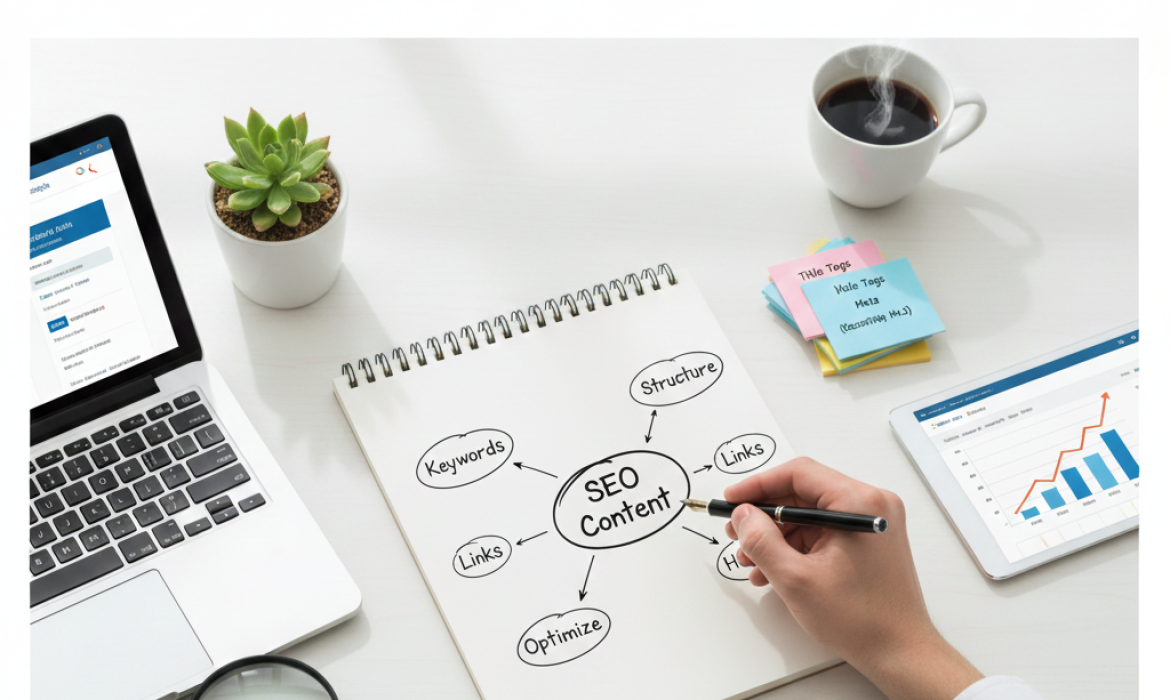
How to Write SEO-Friendly Content: A Step-by-Step Guide
Writing SEO-friendly content is essential for boosting your website’s visibility and ranking on search engines like Google. It’s not just about using the right keywords but creating content that is engaging, informative, and valuable to your audience. In this guide, we’ll walk through the process of writing SEO-friendly content that can improve your search engine optimization efforts.
Step 1: Understand Your Audience and Search Intent
Before you even start writing, it’s crucial to understand your audience and the intent behind their search. When writing SEO content, always ask: What problem is the reader trying to solve? What type of content do they need (informational, transactional, etc.)? Understanding the intent will help you create relevant content that matches the searcher’s needs.
To get a better sense of search intent, analyze the keywords you want to target. For example, if people are searching for “how to write SEO-friendly content,” they likely want a step-by-step guide or tutorial. Knowing the search intent ensures that your content is both targeted and useful.
Step 2: Perform Thorough Keyword Research
Keyword research is the backbone of SEO-friendly writing. The right keywords help your content appear in relevant search results. Start by identifying the main keyword, in this case, “SEO content”. Then, gather related keywords (long-tail keywords) that you can incorporate into the article naturally.
Use tools like Google Keyword Planner or SEMrush to find keywords that are relevant to your topic. For instance, related keywords to SEO content might include “SEO writing,” “content optimization,” or “SEO copywriting.” However, always remember to prioritize the user experience — don’t force keywords into the content. Instead, make sure they fit naturally into your text.
Step 3: Create a Compelling and Engaging Title
The title of your article is one of the most important factors in SEO. A strong title will not only attract readers but also help search engines understand what the article is about. Make sure your title includes your main keyword SEO content (or a variation) and is descriptive enough to grab attention.
For example, “How to Write SEO-Friendly Content: A Step-by-Step Guide” works well because it contains the main keyword and gives a clear indication of the article’s purpose.
Step 4: Write High-Quality, Engaging Content
Once you have your keyword research in place and a solid title, it’s time to write the content. When crafting SEO content, always prioritize readability and value over keyword stuffing. Search engines like Google favor high-quality content that provides real value to readers.
-
Introduction: Start with a captivating introduction that outlines the value of SEO-friendly content and hooks the reader. For example, explain how writing SEO content can help businesses improve their search rankings and attract more organic traffic.
-
Body: Break your content into clear sections, each with a relevant heading. Use subheadings to improve readability, and ensure that each section provides useful information related to your main keyword. Don’t forget to answer questions your audience may have.
-
Conclusion: End your article with a summary of the main points and a call to action. Encourage readers to take the next step, whether it’s applying the tips to their content strategy or learning more about SEO.

Step 5: Optimize for On-Page SEO
When writing SEO content, on-page optimization is crucial. It’s not just about using keywords; it’s about ensuring that your content is structured correctly for search engines. Here are some on-page optimization tips:
-
Use the Main Keyword in the First 100 Words: Search engines pay attention to the first few lines of content. Try to include your main keyword “SEO content” early on without making it sound unnatural.
-
Use Synonyms and LSI Keywords: Google is smart enough to recognize related terms. Instead of repeating SEO content over and over, use synonyms or related terms like “content optimization” or “SEO writing.”
-
Optimize Meta Descriptions: Though meta descriptions don’t directly impact rankings, they help increase click-through rates. Write a concise, engaging meta description that summarizes your article and includes your main keyword.
-
Optimize Image Alt Text: If you use images in your article, make sure to optimize their alt text with relevant keywords. This helps search engines understand the content of the images.
Step 6: Improve Readability and User Experience
Search engines also consider user experience when ranking content. Content that is easy to read and navigate will likely rank better. Here’s how you can improve the readability of your SEO content:
-
Short Paragraphs: Keep your paragraphs short to avoid overwhelming the reader.
-
Bullet Points and Lists: These help break down information into digestible chunks.
-
Clear and Concise Sentences: Avoid long, complicated sentences. Aim for clarity and simplicity.
-
Mobile-Friendly: With an increasing number of users browsing from mobile devices, make sure your content is mobile-optimized.
Step 7: Focus on Content-Length and Depth
While there’s no exact formula for how long your content should be, longer content often performs better in search engine rankings. However, focus on providing comprehensive, in-depth information rather than just filling space with words.
A longer article (around 1,000 to 2,000 words) that thoroughly covers a topic is more likely to rank well than a short, surface-level piece. Ensure your content addresses all possible subtopics related to your main keyword and answers potential questions readers might have.
Step 8: Edit and Proofread for Quality
After you’ve written your content, take the time to edit and proofread. Typos and grammatical errors can negatively impact the readability and quality of your article. Use tools like Grammarly or Hemingway to catch any mistakes and improve the overall flow of your content.
Additionally, ensure that your content reads naturally and is free of keyword stuffing. It’s important that your writing is engaging and useful to the reader, not just written to please search engines.

How SEO-Friendly Content Helps in SEO
Writing SEO content isn’t just about getting ranked on search engines; it’s about improving the overall user experience. When you create well-optimized, valuable content, search engines are more likely to reward you with higher rankings. Here’s how it benefits your SEO:
-
Improved Visibility: By optimizing your content for relevant keywords and search intent, you increase the chances of appearing in search engine results pages (SERPs).
-
Higher Organic Traffic: SEO-friendly content attracts more organic traffic because it answers users’ queries and is structured to meet search engine algorithms.
-
Better User Engagement: High-quality, informative content leads to better user engagement, which can indirectly boost your SEO performance.
By following these steps, you can create content that not only ranks well but also offers value to your readers, helping to build trust and authority for your website.
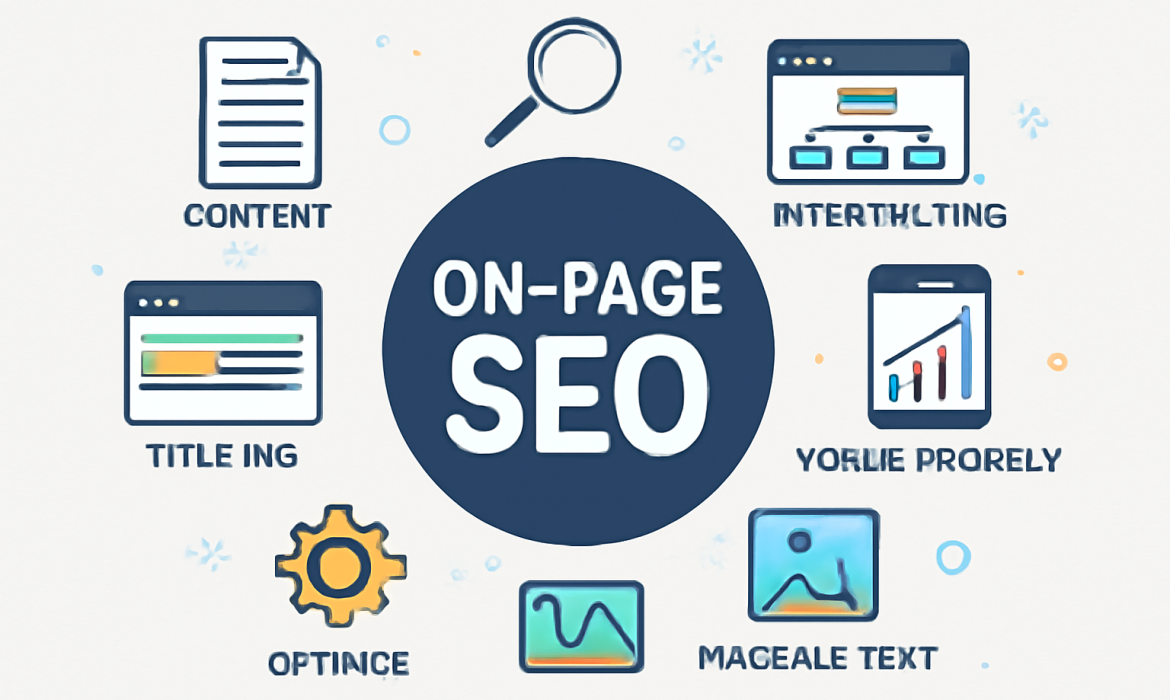
Complete Guide to On-Page SEO
In the ever-evolving world of digital marketing, search engine optimization (SEO) has become a crucial tool for businesses and websites seeking to enhance visibility and drive organic traffic. Among the many components of SEO, On-Page SEO plays a crucial role in ensuring your content ranks higher in search engine results. By optimizing your web pages, you enhance the likelihood of being discovered by search engines like Google, making it an essential practice for any website.
In this complete guide, we’ll walk you through the step-by-step process of On-Page SEO. We’ll explain why it’s so important, how it works, and the best practices to follow to boost your website’s performance.
What is On-Page SEO?
Before diving into the details, it’s essential to understand what On-Page SEO is. On-Page SEO refers to the process of optimizing individual web pages in order to rank higher and attract more relevant traffic. This includes optimizing both the content and HTML source code of a page.
Unlike, which involves external factors like backlinks, On-Page SEO focuses entirely on elements within your website. It ensures that search engines can easily understand the context and relevance of your content, improving your chances of ranking higher for targeted keywords.
Why is On-Page SEO Important?
On-Page SEO is crucial because it directly impacts how search engines interpret and rank your website. When done correctly, it helps:
-
Increase Visibility: Proper On-Page SEO increases the chances of ranking higher in search results, ensuring more people discover your website.
-
Improve User Experience (UX): Optimizing your website’s structure, speed, and content also enhances user experience, leading to higher engagement and lower bounce rates.
-
Drive Targeted Traffic: By focusing on specific keywords and search intent, On-Page SEO ensures that your content is visible to the right audience.
-
Boost Credibility and Trustworthiness: A well-optimized site builds trust with search engines, helping your website appear as a credible and relevant source of information.
Step-by-Step Process of On-Page SEO
Here’s a detailed, step-by-step guide to help you implement On-Page SEO successfully:
1. Keyword Research and Selection
The first step in On-Page SEO is choosing the right keywords. Keywords are the terms or phrases people use when searching for information online. Select keywords that are relevant to your content and have a high search volume but low competition.
-
Tip: Use tools like Google Keyword Planner or Ubersuggest to find relevant keywords that can help you attract organic traffic.
Once you’ve selected your keywords, ensure they are strategically placed throughout your page to improve its ranking.
2. Optimize the Title Tag
The title tag is one of the most important elements for SEO. It appears as the clickable headline in search results, and it helps both search engines and users understand the topic of the page.
-
Best Practices:
-
Keep the title under 60 characters.
-
Place the primary keyword near the beginning.
-
Ensure it’s compelling to encourage click-throughs.
-
3. Meta Description Optimization
Although the meta description doesn’t directly affect rankings, it plays a vital role in attracting clicks from search results. A well-written meta description provides a summary of your page content.
-
Best Practices:
-
Keep the description between 150-160 characters.
-
Include the main keyword naturally.
-
Make it descriptive and appealing to users.
-
4. Use Proper Heading Tags
Heading tags (H1, H2, H3, etc.) help structure your content and make it easier for search engines to crawl your page.
-
Best Practices:
-
Use one H1 tag for the main heading (which should include your primary keyword).
-
Use H2 for subheadings and H3 for further sections.
-
Organize content logically, with clear, descriptive headings.
-
5. URL Structure Optimization
URLs are important for both user experience and SEO. A clean, descriptive URL tells search engines exactly what the page is about.
-
Best Practices:
-
Keep URLs short and descriptive.
-
Include the primary keyword in the URL.
-
Avoid using unnecessary characters or numbers.
-
6. Content Optimization
Creating high-quality content is one of the most important aspects of On-Page SEO. Your content should be relevant, informative, and easy to understand.
-
Best Practices:
-
Use the target keyword within the first 100 words of the content.
-
Include variations and synonyms of the main keyword to avoid keyword stuffing.
-
Maintain keyword density between 1-2% (i.e., for every 100 words, use the keyword 1-2 times).
-
Write for your audience, not just for search engines. Make sure the content adds value and answers the user’s intent.
-
7. Image Optimization
Images are an essential part of web content, but they can slow down your site if not optimized properly. To ensure your images help rather than hinder your SEO efforts, follow these practices:
-
Best Practices:
-
Compress images to reduce file size.
-
Use descriptive alt text with relevant keywords to improve accessibility and SEO.
-
Choose the right file format (JPG for images, PNG for graphics with transparency).
-
8. Internal Linking
Internal linking helps establish a website’s architecture, allowing users and search engines to navigate your site easily. By linking to other pages within your site, you improve the site’s usability and ensure search engines can index all relevant pages.
-
Best Practices:
-
Link to relevant, high-quality pages on your website.
-
Use descriptive anchor text (the clickable text in a hyperlink).
-
Avoid over-linking; focus on quality over quantity.
-
9. Mobile-Friendliness
With mobile traffic accounting for a significant portion of web visitors, it’s essential that your website is mobile-friendly. Google’s mobile-first indexing means that Google primarily uses the mobile version of the website for ranking.
-
Best Practices:
-
Ensure your website is responsive and adjusts to different screen sizes.
-
Test your site on various devices to ensure a smooth mobile experience.
-
Use large, easy-to-click buttons and clear navigation.
-
10. Page Speed Optimization
Page speed is a critical ranking factor in Google’s algorithm. A slow-loading website can lead to higher bounce rates and a lower ranking.
-
Best Practices:
-
Compress images and use browser caching.
-
Minimize the use of heavy scripts and plugins.
-
Utilize a content delivery network (CDN) to speed up content delivery.
-
How SEO On-Page Strategies Work
SEO On-Page Strategies focus on optimizing individual elements within a page to improve its visibility and relevance. By following these strategies, you ensure that your page is structured in a way that both search engines and users can easily understand. When search engines crawl your site, they look for clues (like keywords, headings, and metadata) to determine how well your page answers a user’s search query.
By consistently applying On-Page SEO strategies, you’ll see gradual improvements in your page’s ranking, leading to more organic traffic and higher conversions.
Conclusion
In conclusion, On-Page SEO is a fundamental component of any successful SEO strategy. By optimizing content, images, title tags, URLs, and other key elements, you ensure that search engines can crawl, index, and rank your website effectively. Following the steps outlined in this guide and implementing SEO On-Page Strategies will help you stay ahead of your competitors and increase your website’s visibility. Whether you’re a beginner or looking to fine-tune your existing SEO efforts, the tips and techniques shared here will provide you with the tools you need to succeed.

